💡 In Simple Terms (For Beginners)
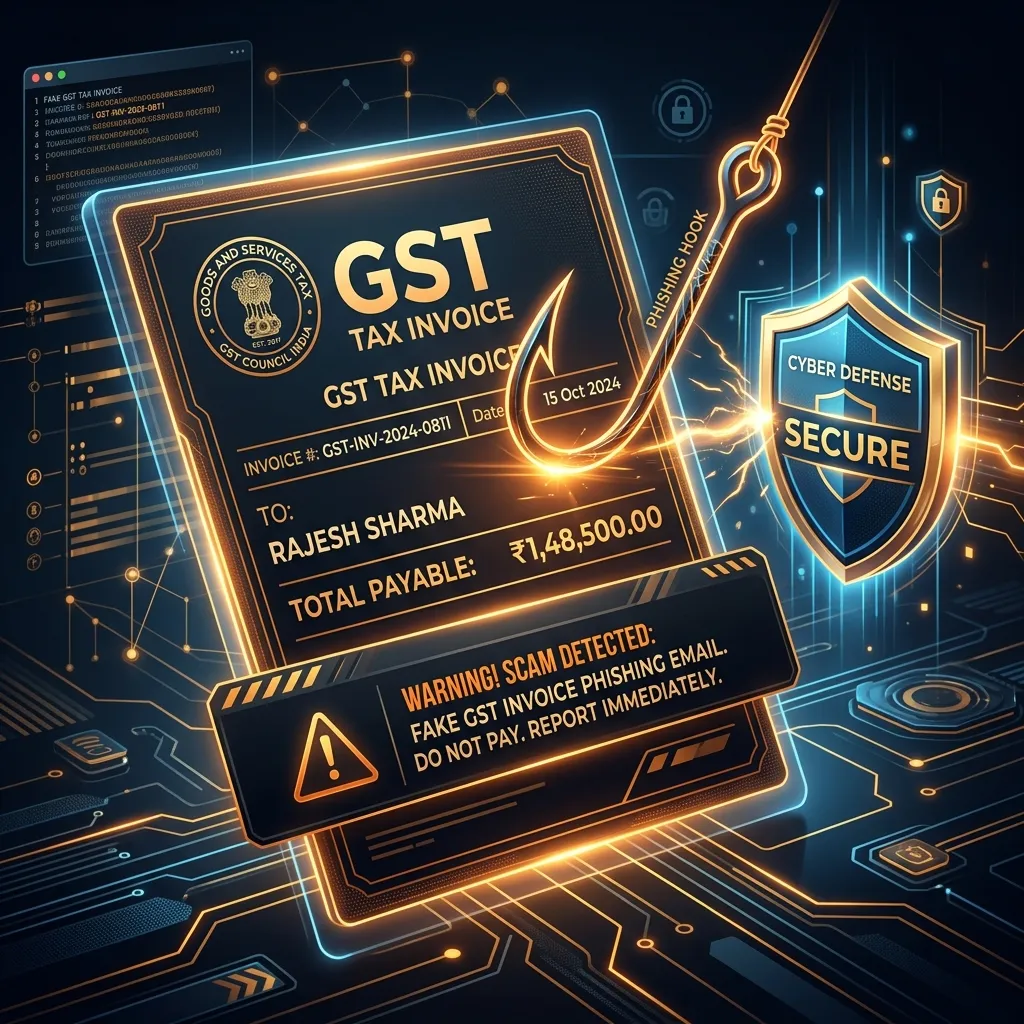
Scammers send fake emails saying you have a "GST notice" or tax penalty and must click a link to pay or download a PDF. The link either steals your password or installs malware on your system.
- Fake GST notices are phishing attacks wearing a tax compliance costume.
- Official GST communication happens through the portal, not unsolicited SMS or WhatsApp links.
- Verifying directly at gst.gov.in — never through a link in a message — is the core defense.
COMPLIANCE · August 11, 2026 · 8 min read · By Hardik Patel
A message arrives claiming to be from the GST department — a notice, a penalty, a mismatch needing "immediate resolution" through a link. It looks official enough to worry a business owner into clicking without checking first. That's the point. GST notice fraud is usually discussed as a tax issue, but it's built and delivered exactly like every other phishing attack.
Table of Contents - Why This Belongs in a Cybersecurity Conversation - Common Patterns to Recognize - How to Verify Before Reacting - Why This Matters More for Growing Businesses - Key Takeaways - Frequently Asked Questions - How iTechFixr Can Help
Why This Belongs in a Cybersecurity Conversation
Fake GST notices use the same phishing mechanics as any other scam — urgency, an official-sounding sender, and a link designed to harvest credentials — with a tax compliance costume layered on top to make the pressure feel unavoidable.
Strip the GST angle away and the mechanism is identical to any phishing campaign covered elsewhere on this blog. Treating it purely as a "tax problem" means businesses apply the wrong defense — checking with their CA instead of applying basic phishing verification first, which wastes the time that matters most in stopping it before a click.
Common Patterns to Recognize
Unsolicited SMS or WhatsApp notices, lookalike login pages, urgent penalty language, and requests for OTPs or credentials are the four consistent markers of GST notice phishing.
- Unsolicited notices via SMS or WhatsApp, when official GST communication happens primarily through the GST portal itself, not third-party messaging channels.
- Links to login pages that aren't the actual GST portal domain (gst.gov.in), often a close lookalike with a subtly altered spelling.
- Urgent penalty or deadline language pressuring immediate action without the normal time a genuine notice would allow for verification.
- Requests for OTPs, passwords, or banking details — the GST department does not request these through unsolicited messages under any circumstance.
How to Verify Before Reacting
Logging in directly at gst.gov.in by typing the address yourself, rather than clicking any link, is the single most reliable way to confirm whether a notice is genuine.
- Log in directly at gst.gov.in by typing the address yourself — never through a link in a message, regardless of how official it looks.
- Check your GST portal notifications directly rather than trusting a forwarded message or SMS link to be accurate.
- Confirm with your CA or compliance advisor before acting on anything that claims financial urgency or immediate penalty.
- Never share your GST login credentials or OTP with anyone, including someone claiming to be a GST official — this is never a legitimate request under any process.
For the general phishing-recognition skills that apply directly here, see our 30-second phishing checklist.
Why This Matters More for Growing Businesses
[Guessing] Businesses going through GST registration changes, LLP conversions, or compliance transitions may be more likely to click on a notice that sounds relevant to something they're already dealing with — which makes this a good moment to strengthen verification habits, not relax them during a period of genuine administrative change.
Hardik Patel, CEH-certified cybersecurity trainer and founder of iTechFixr Infotech LLP, Pimpri-Chinchwad, treats this pattern as part of the same phishing-awareness training run for finance and admin teams generally — recognizing the underlying pattern matters more than recognizing the specific GST framing, since the next version of this scam will use a different official-sounding disguise entirely.
Key Takeaways
- Official GST notices appear in your portal dashboard, not through unsolicited SMS or WhatsApp links.
- Urgent penalty language is a pressure tactic, not a genuine indicator of an imminent deadline.
- Always navigate to gst.gov.in directly instead of clicking any link in a message.
- The GST department never requests OTPs, passwords, or banking details through unsolicited contact.
Frequently Asked Questions
Q: How does the GST department actually communicate official notices?
A: Primarily through the GST portal itself (gst.gov.in), where notices appear in your account dashboard — not through unsolicited SMS or WhatsApp links requesting immediate action.
Q: What should I do if I receive a suspicious GST-related message?
A: Do not click any links. Log in to the GST portal directly to check for genuine notices, and verify with your CA before taking any action based on the message.
Q: Can clicking a fake GST notice link actually harm my business, even if I don't enter any details?
A: Yes — some phishing links are designed to install malware simply by visiting the page, not just to harvest information you enter afterward.
Q: Are these fake notices sent to specific businesses or broadcast widely?
A: [Guessing] Most appear to be broadcast widely rather than individually targeted, relying on volume and the fact that a percentage of recipients will have a genuinely pending GST matter that makes the message feel plausible.
How iTechFixr Can Help
Need a compliance-ready risk framework? Let's map your gaps together. iTechFixr helps businesses determine their exact obligation status and builds the detection-to-reporting pipeline needed to genuinely protect your operations.