💡 In Simple Terms (For Beginners)
Ransomware is a virus that locks up all your business files and demands money (a ransom) to unlock them. You can prevent this by keeping offline backups, updating your software, and never opening random email attachments.
- Most ransomware spreads opportunistically, so business size offers little natural protection.
- Offline backups, prompt patching, and restricted admin access close the most common entry points.
- An incident response plan decided in advance saves critical hours during a real attack.
CYBERSECURITY TIPS · July 30, 2026 · 7 min read · By Hardik Patel
Ransomware doesn't need to target a specific company to hit it — most infections spread through opportunistic phishing and unpatched systems, which means small and mid-sized Indian businesses get caught in the same nets as large enterprises, often with far less ability to recover.
Table of Contents - The Checklist - What to Do If You're Already Infected - Where the Highest-Impact Fixes Actually Are - Key Takeaways - Frequently Asked Questions - How iTechFixr Can Help
The Checklist
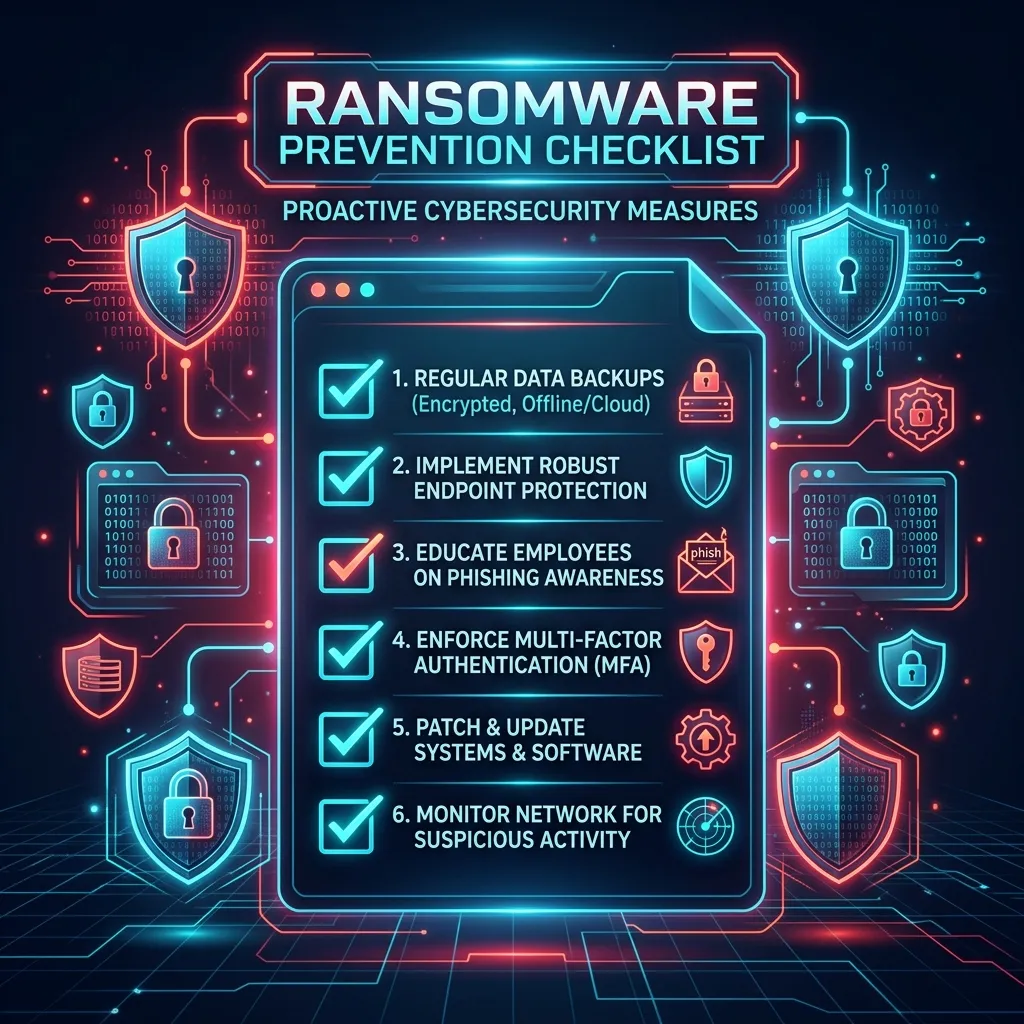
Offline backups, prompt patching, restricted admin access, staff training, network segmentation, and a written incident response plan together close the entry points and limit the damage of most ransomware attacks.
1. Maintain offline or immutable backups. A backup connected to your network at all times can be encrypted along with everything else. At least one backup copy needs to be offline, air-gapped, or immutable so ransomware can't reach it.
2. Test your backup restore process, not just the backup itself. A backup you've never restored from is an assumption, not a safety net. Test the actual recovery process periodically, not just the backup job's completion status.
3. Patch operating systems and software promptly. [Likely] A significant share of ransomware infections exploit known vulnerabilities that already had a patch available — timely updates close a large portion of the entry points attackers rely on.
4. Restrict administrator access. Ransomware typically needs elevated privileges to spread across a network. Limiting who has admin rights limits how far an infection can travel if one machine is compromised.
5. Train staff on phishing recognition. A large share of ransomware starts with a single clicked attachment or link — see our 30-second phishing checklist for the specific patterns to teach your team.
6. Segment your network. If every device sits on the same flat network, one infected machine can reach everything. Separating critical systems limits the blast radius of any single infection.
7. Have an incident response plan before you need one. Know in advance who gets called, how systems get isolated, and what the communication plan is — deciding this during an active incident wastes critical hours you don't have.
What to Do If You're Already Infected
Isolate the affected machine from the network immediately, do not pay before consulting your incident response plan and legal counsel, and preserve evidence for reporting to the National Cyber Crime Reporting Portal (cybercrime.gov.in).
Isolation matters more than any other single action in the first hour — disconnecting the infected device from the network, both wired and wireless, is what stops the infection from spreading to backups and other systems while you assess the situation.
Where the Highest-Impact Fixes Actually Are
Hardik Patel, CEH-certified cybersecurity trainer and founder of iTechFixr Infotech LLP, Pimpri-Chinchwad, consistently finds that the entry points ransomware exploits — unpatched systems, weak access controls, exposed services — are identifiable in advance through a structured technical review, well before an attacker finds them.
That's the exact gap our VAPT service is built to close: finding those entry points on your terms, not an attacker's.
Key Takeaways
- At least one backup copy must be offline or immutable, disconnected from your live network.
- Untested backups are an assumption, not a guarantee of recovery.
- Restricting admin access limits how far an infection can spread from a single compromised device.
- A written incident response plan, decided before an attack, saves the hours that matter most.
Frequently Asked Questions
Q: Is paying the ransom ever recommended?
A: [Guessing] Generally not — payment doesn't guarantee data recovery, and it funds further attacks. Consult your incident response plan and legal counsel before making that decision under pressure.
Q: How often should backups be tested?
A: At minimum, quarterly — an untested backup is a significant risk in the exact scenario where you need it most, when systems are already down.
Q: Do small businesses really get targeted by ransomware, or just large companies?
A: [Likely] Most ransomware spreads opportunistically through automated phishing and scanning rather than targeting specific companies, which means business size offers little natural protection against it.
Q: How quickly should an infected machine be isolated?
A: Immediately — disconnecting from both wired and wireless networks the moment infection is suspected is the single most effective action to limit how far it spreads.
How iTechFixr Can Help
Need a compliance-ready risk framework? Let's map your gaps together. iTechFixr helps businesses determine their exact obligation status and builds the detection-to-reporting pipeline needed to genuinely protect your operations.